今天要來開始寫程式了!
進度
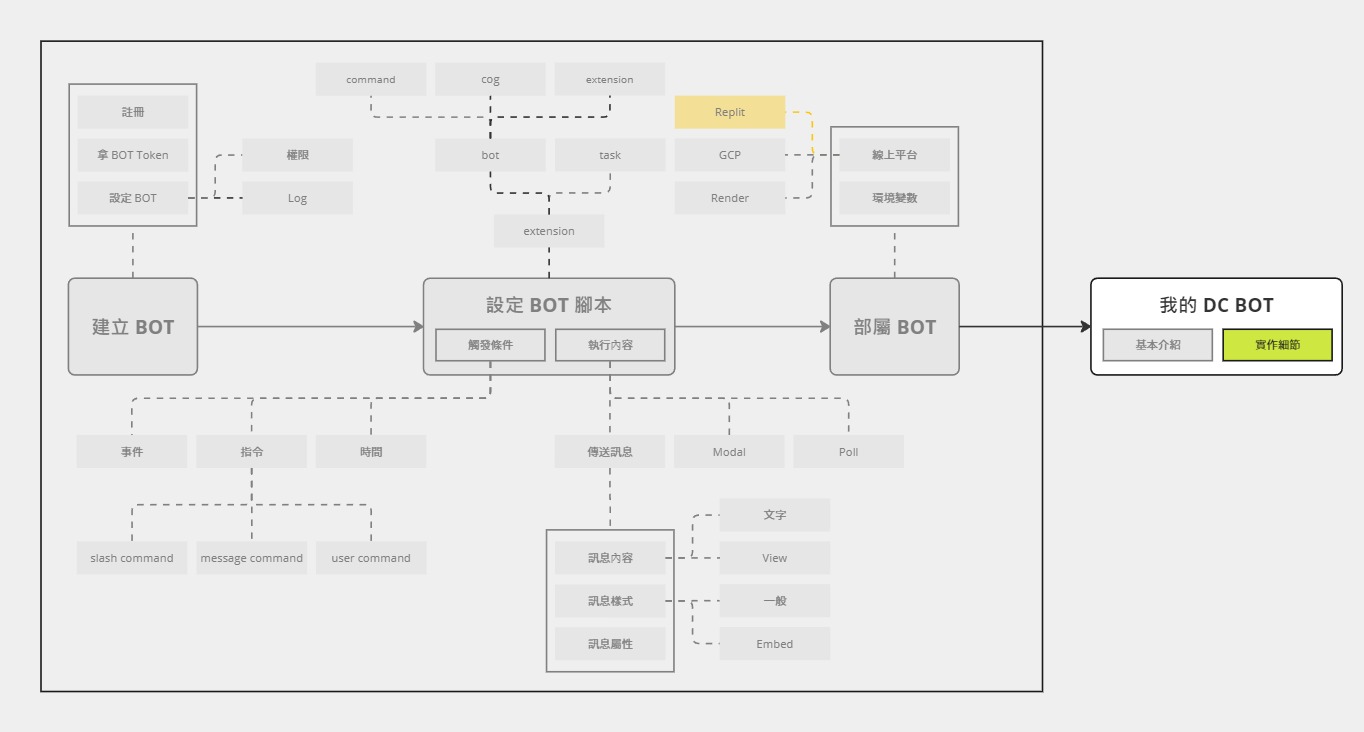
有了昨天列出來的使用者故事 (需求),接下來就是把它們實作出來了。今天會依序介紹專案架構、主程式,最後會開始實作一點簡單的功能。
使用者故事 (User Story)
複習一下昨天整理出來的使用者故事。
1. 線索管理功能
- 作為頻道成員,我可以輸入線索,讓 Discord BOT 取得並儲存相關資訊。
- 作為頻道成員,若我輸入的線索格式不正確,會收到錯誤提示,且該線索不會被記錄。
- 作為頻道成員,我可以編輯線索,並且 Discord BOT 會更新該線索資訊並檢查其格式。
- 作為頻道成員,我可以刪除線索,Discord BOT 會相應更新線索資訊。
- 作為頻道成員,我可以下達指令,要求根據歷史訊息來更新已儲存的線索資訊。
- 作為頻道成員,我可以下達指令,要求查看目前儲存的線索資訊。
- 作為頻道成員,我可以為其他頻道成員設定線索。
2. 計算最佳做法功能
- 作為頻道成員,我可以下達指令要求開始計算。
- 作為頻道成員,當我要求開始計算時,Discord BOT 會檢查是否所有成員當天都已提交線索,若不是,則會彈出提示訊息詢問是否確定要進行計算。
- 作為頻道成員,我可以在計算開始前查看本次計算的組合數量。
- 作為頻道成員,在 Discord BOT 計算時,我會看到「正在輸入…」的提示。
- 作為頻道成員,計算完成後,我可以在特定頻道中看到 Discord BOT 提供的結果。
- 作為頻道成員,我可以下達指令,查看當前最新的計算結果。
3. 其他功能
- 作為頻道成員,我可以享有 Discord BOT 定時檢查所有人是否已報線索的功能,若有未報者,該成員會被 Tag 提醒。
- 作為頻道成員,我可以開啟或關閉 Discord BOT 的定時檢查功能。
- 作為頻道成員,我可以查看 Discord BOT 的使用指南或教學。
4. 使用限制
- 線索只能在特定頻道中提交。
- 只有特定的頻道成員可以提交線索。
補充:「在頻道內輸入線索」簡稱為「報線索」
開始之前…
除了上面比較偏向功能面的需求之外,在實作上也希望有以下幾個要求:
- 使用 bot 指令框架
- 使用 Cog 把指令們從主程式拆出來,並進行適當分類
- 各個指令中與 Discord 比較無關的部分,拆出來移到另一個資料夾
專案架構
以下是我的專案架構:
1
2
3
4
5
6
7
8
9
10
11
12
13
14
15
16
17
18
19
| Repo
├─cogs
│ ├─__init__.py
│ ├─clue.py
│ ├─exchange.py
│ ├─remind.py
│ └─tutorial.py
├─utils
│ ├─__init__.py
│ ├─crud_clues.py
│ ├─calculate.py
│ ├─optimize.exe
│ ├─clues.txt
│ └─result.txt
├─.env
├─example.env
├─main.py
├─players.json
└─requirements.txt
|
其中,cogs資料夾內放的是個各類分類的指令。分成幾類:
utils 資料夾內放的則是其他與 discord 本身無關的,例如計算最佳化結果的相關程式。
.env 與 example.env 就會是存放環境變數,例如伺服器 ID、報線索頻道的 ID 等。
player.json 紀錄的是 Discord ID 與暱稱的對照表,在結果呈現上會使用到。
主程式
接下來,來看一下主程式。
1
2
3
4
5
6
7
8
9
10
11
12
13
14
15
16
17
18
19
20
21
22
23
24
25
26
27
28
29
30
31
32
33
34
35
36
37
38
39
40
41
42
43
44
45
46
47
48
49
50
51
52
|
from typing import Optional
import discord
from discord.ext import commands
from pydantic_settings import BaseSettings
class Settings(BaseSettings):
token: str
guild_id: Optional[int] = None
class MyBot(commands.Bot):
def __init__(
self,
*args,
initial_extensions: list[str],
guild_id: Optional[int] = None,
**kwargs,
):
super().__init__(*args, **kwargs)
self.guild_id = guild_id
self.initial_extensions = initial_extensions
async def setup_hook(self) -> None:
for extension in self.initial_extensions:
await self.load_extension(extension)
if self.guild_id:
guild = discord.Object(self.guild_id)
self.tree.copy_global_to(guild=guild)
await self.tree.sync(guild=guild)
settings = Settings()
exts = [
"cogs.clues",
"cogs.exchange",
"cogs.remind",
"cogs.tutorial",
]
intents = discord.Intents.default()
intents.message_content = True
bot = MyBot(
initial_extensions=exts,
guild_id=settings.guild_id,
command_prefix="",
intents=intents,
)
bot.run(settings.token)
|
相較於之前的範例,這個稍微複雜了一些,讓我們來看一下這兩個部分:
- 環境變數
- 載入 Extension 與 sync 應用指令
環境變數
這邊我選擇使用 Pydantic 的 Pydantic Settings 來取得 .env 中的環境變數 (預設路徑就是 .env)。
1
2
3
4
5
6
7
| from pydantic_settings import BaseSettings
class Settings(BaseSettings):
token: str
guild_id: Optional[int] = None
settings = Settings()
|
之後就可以輕鬆地從 settings 中取得 .env 中的環境變數了,例如:settings.token。
我個人蠻喜歡用 Pydantic 來取得環境變數,因為它可以幫忙做型別轉換、驗證、設定預設值。如果各位對於取得環境變數有其他比較習慣的做法,都可以進行替換。
載入 Extension 與 sync 應用指令
1
2
3
4
5
6
7
8
9
10
11
12
13
14
15
16
17
18
19
20
| class MyBot(commands.Bot):
def __init__(
self,
*args,
initial_extensions: list[str],
guild_id: Optional[int] = None,
**kwargs,
):
super().__init__(*args, **kwargs)
self.guild_id = guild_id
self.initial_extensions = initial_extensions
async def setup_hook(self) -> None:
for extension in self.initial_extensions:
await self.load_extension(extension)
if self.guild_id:
guild = discord.Object(self.guild_id)
self.tree.copy_global_to(guild=guild)
await self.tree.sync(guild=guild)
|
由於指令都是放在 cogs 資料夾內,所以找個時機點使用 load_extension,那些指令才會生效。另外,我偏好還是要逐一列出要載入的 extension (要稱為 cog 也可以),而不是整包資料夾都送進去。
應用指令也有類似的狀況,為了避免等太久才生效,需要找個時機 sync 到指定的伺服器。不過,還是有保留一點彈性,把它設為 Optional 的參數。
而上面這兩個步驟的最佳時機點就是 setup_hook (再次強調,絕對不是 on_ready)。
第一個功能
今天先從簡單的功能開始做,讓大家熟悉這個專案架構。而最簡單的功能就是:
- 作為頻道成員,我可以查看 Discord BOT 的使用指南或教學。
這個比較簡單,就直接來看程式碼。
1
2
3
4
5
6
7
8
9
10
11
12
13
14
15
16
|
from discord.ext import commands
class TutorialCog(commands.Cog):
def __init__(self, bot: commands.Bot):
self.bot = bot
@commands.hybrid_command()
async def tutorial(self, ctx: commands.Context):
await ctx.send("使用教學")
async def setup(bot: commands.Bot):
await bot.add_cog(TutorialCog(bot))
|
為了節省版面,之後就只會呈現中間 Cog 的部分
這個功能的第一直覺應該是使用 help 來觸發指令,但是 help 是預設指令,所以這邊改成選擇使用 tutorial 來當作觸發的指令。
首先,要思考的是,要用什麼關鍵字來當作指令?由於 help 是預設指令,所以這邊選擇使用 tutorial 來當作觸發的指令。
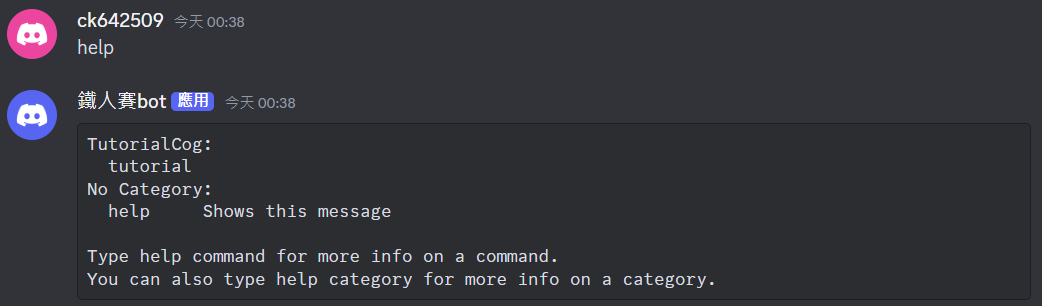
可以看到目前只有一個指令:tutorial
使用教學的內容?
至於「使用教學」的內容… 我目前還沒寫XD
考量到內容應該頗長,這時候可以考慮直接放一個網址就好 (e.g. HackMD 筆記),或者是使用嵌入式內容 (請參考 Day 13) 做一個重點說明,並附上詳細說明的連結。
1
2
3
4
5
6
7
8
9
| @commands.hybrid_command()
async def tutorial(self, ctx: commands.Context):
embed = discord.Embed(
title="使用教學",
url="https://ithelp.ithome.com.tw/users/20162280/ironman/7781",
)
embed.add_field(name="tutorial", value="查看使用教學", inline=False)
embed.add_field(name="exchange", value="開始計算最佳做法", inline=False)
await ctx.send(embed=embed)
|
效果如下:
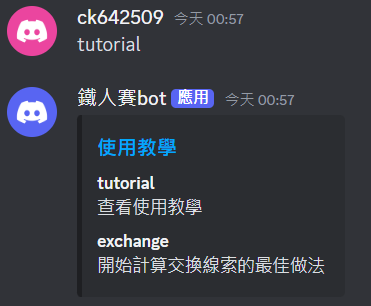
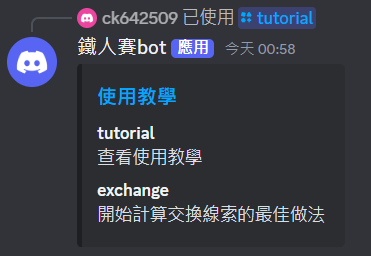
因為是使用 Hybrid Command,所以會同時設定兩種指令。
小結
今天介紹了專案架構和主程式,並開始實作功能。明天會繼續實作其他功能~